
How to Find your iPhone Using Your Apple Watch: A Complete Guide

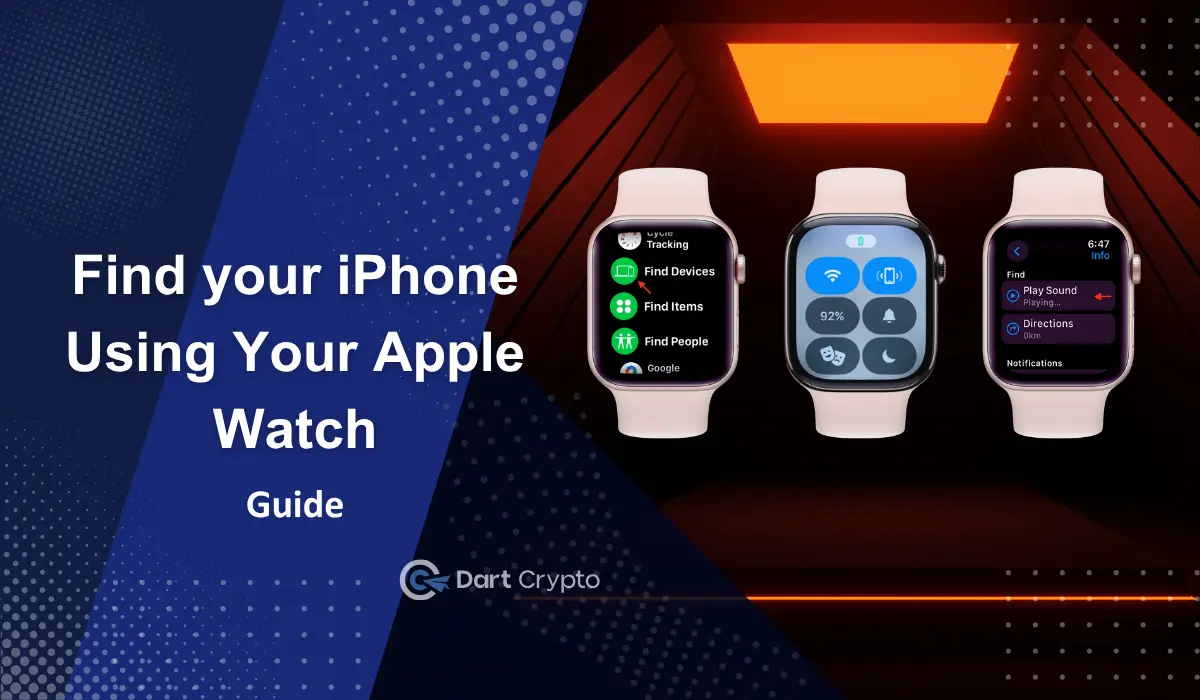
You are comfortably sitting in your home, scrolling through your smartphone, when someone calls you from outside. You check them out and do some chores on your way back to the sofa you were sitting on in the first place. You reach out for your phone, and suddenly it’s gone. Now you don’t know where your phone is. Have you ever felt like this?
We have all misplaced our smartphones and spend an enormous amount of time searching for and finding them. It might be in an easily accessible place, but we don’t get our misplaced phones back sooner, do we? From now on, by using iPhone and Apple Watch, you will get them soon, and you might not want to spend a lot of time searching for them.
Apple has a feature that allows you to track your misplaced or lost iPhone using your Apple Watch connected to that particular smartphone. Here is how you do it without overturning your sofa cushions and bedsheets.
How to Navigate an iPhone Using an Apple Watch
Your Apple Watch has an in-built tool that allows you to locate your misplaced iPhone with just a few taps and within a few seconds. To use this feature, you don’t need to have a vast technical knowledge or any other tech gimmicks; it’s very simple and easy to ping your iPhone from your Apple Watch, and it doesn’t matter even if your phone is silent.
You can use two different features to locate your misplaced iPhone using your Apple Watch: the Ping feature and the Find Devices app. Here is a detailed explanation of how you do it by using them.

1. Find Devices App
Apple has an in-built application called ‘Find Devices’ to locate the ecosystem products. You can locate your iPhone, iPad, AirPods, and Apple Watch using this app. Let us take a look at how you can locate your iPhone using the Find Devices app in your Apple Watch.
- Step 1: Open the Find Devices app on your Apple Watch
- Step 2: Select your connected iPhone from the list of devices on your Apple Watch
- Step 3: Tap “Play Sound” on your watch to make your iPhone emit a notification sound or alert sound.
You can follow these three steps to make your phone ring. Sometimes, the phone might be further away. If it is not in your reach, you have other features to find your phone. Follow the Get directions feature if your phone is farther.
- Step 4: Tap “Directions” to get your iPhone’s last known location. The location and the route map will be redirected to your Maps on your Apple Watch.
If you have an Apple Watch Series 9, Apple Watch Series 10, or Apple Watch Ultra 2, you can use the precision finding feature available on and compatible with those devices.
2. The Ping Feature
Ping feature is the next method you can use to find your misplaced iPhone. Here is the step-by-step procedures that help you find your phone using this particular feature.
- Step 1: Navigate to Control Centre and open it. To open it, press the side button on your Apple Watch.
- Step 2: Tap the Ping iPhone button on your Apple Watch. The button looks like an iPhone with sound waves radiating from it.
- Step 3: your misplaced iPhone will play a sound, listen to that sound, and find out the exact location where the sound comes from.
You might lose your iPhone in the night, and navigating it using sound might not be practically possible then. If you encounter this problem, you can use another feature that provides you an extra help in the dark. Here is how you seek extra help in the dark.
- Step 4: Touch and hold the Ping button available on your Apple Watch. When you have done it, your iPhone will flash its light along with the sound it usually makes while pressing the button.
Related Coverage: Apple A19 Chip in iPhone 17: Significant Performance GC and Battery Gains
The Bottom Line
These are the two common methods you can use to find your misplaced or lost iPhone using your Apple Watch. Apple’s ecosystem is one of the best and finest in the world. Its wide ecosystem features like this make it one of the most advanced ecosystem service providers in the world. The compatibility among all their ecosystem products makes the usage simply awesome and convenient. The Find Device app, Ping feature, and Precision Finding screen will just make your ecosystem experience better and take it to another level.
Misplacing our smartphones is not a problem that we can avoid, and what we need is better advanced features to find them without spending a lot of time. If you have an Apple Watch and you are using an iPhone, then it is not a big deal; all you need is just simple taps on your Apple Watch.
Related Articles


