
Why Is Your PS5 Running Slower Than It Should Be, and How to Fix It?


The PlayStation 5 (PS5) is Sony’s ninth-generation home video game console, released in 2020. It is well-known for its advanced features, including 4K graphics, lightning-fast load times, high-speed SSD, and dual-sense wireless control. The PS5 has been on the market for five years now, and the console, released after the PS4, has taken the gaming experience to a whole other level.
Now that the product is on the verge of welcoming its successor, PS6, in two or three years, many players have experienced their PS5 performing slower over time. If you have ever experienced this slowdown or wondered why your PS5 is running slow, this article will equip you with the details and tips to fix the issue.
Why is Your PS5 Running Slow?
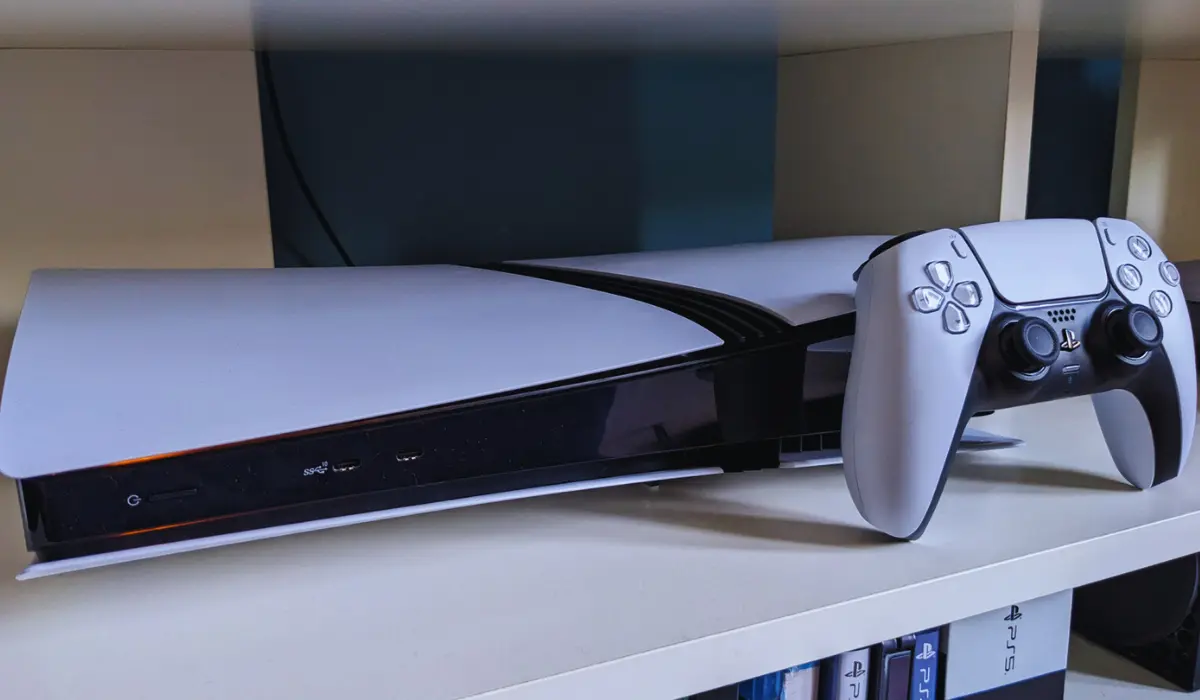
PlayStation 5 is the latest gaming console from Sony, designed to deliver a powerful and faster gaming experience compared to its predecessor, the PlayStation 4. Recently, some PS5 users have experienced a drop in their device’s performance and reported that the product has become slow over time. A PS5 can experience slowdowns for multiple reasons, including overheating, software glitches, network issues, and router issues, etc.
To address these issues and solve them yourself, you should try restarting your PS5 and router, checking the network settings, cleaning the console, updating the system software, and freeing up storage space. If it doesn’t help you with your gaming experience and is still running slower, then seeking professional repair might be a good option. Seeking it as soon as possible will be better for the long run. Let us delve into a detailed breakdown and find out the reasons why your PS5 is running slow.
1. Network Issues
Network issues are a significant factor that affects the performance of your PS5. Slow internet connection, router problems, and network settings play an important role in your gaming experience, and any kind of issues related to these components will make an impact.
A weak internet connection or unstable Wi-Fi signal can lead to your PS5 lag and slow downloads. Network Congestion is another network issue that makes your PS5 run slowly. If a large number of devices or multiple devices are using the same network, it can lead to network congestion and slow down your PS5’s performance.
How to Fix It?
To solve these issues, consider using a wired Ethernet connection to play on PS5. Wired Ethernet can give you a more stable and faster connection. Make sure your PS5 is near the router and there are no significant obstructions to interfere with the signal. When you experience a network issue, restarting the router to refresh the connection will enhance your PS5 performance. Checking the network settings, including DNS and IP address settings, will help you identify and solve any network-related issues.
2. Overheating
Overheating is a factor that can impact the performance of your PS5. Overheating in the PS5 is mainly caused by the dust buildup, which can affect the PS5’s cooling system. PS5’s fan has an enhanced ability to accumulate dust and dirt, so the chance of overheating caused by the dust accumulation is high.
Putting the device in the rest mode for an extended period of time also causes overheating problems and ultimately leads to performance issues.
How to Fix It?
Cleaning out the vent is the only solution for the dust accumulation. Cleaning the vent every month will help you avoid the overheating and noise issues that come as a result of dust buildup. Sony has made the PS5 with a convenient set of tools that can be separated and opened for maintenance.
The side plates of the PS5 can simply be taken off using your hands and be easily reassembled once you are finished cleaning. Avoiding using the rest mode for a longer period of time also helps you to prevent and fix overheating issues.
3. Storage Issues
Storage issues affect the PS5’s performance, and a full hard drive can make your PS5 run slowly. Slow loading times and potential stuttering during gameplay are two major performance issues that might arise from storage issues. A full Solid State Drive (SSD) can lead to increased load times and prevent you from installing and updating the games properly.
Performance degradation due to SSD fullness and insufficient storage is a common phenomenon in almost every device. Acknowledging these types of issues at the right time and fixing them on time is the best solution for it.
How to Fix It?
To fix the storage-related issues that affect the PS5’s performance, users should prioritize freeing up space on a regular basis. Delete the unused games and files to free up space. Considering upgrading the storage system will also help you fix these issues. Upgrading storage with an internal M.2 SSD will provide you with an extended storage capacity and faster loading times. The M.2 SSD allows users to install and play games directly from the expanded storage.
Follow these steps to free up storage space by deleting the unwanted games and applications in your PS5.
- Step 1: On your PS5, go to ‘Settings’ and find the ‘Storage’ option. In the storage section, you can see the ‘Games and Apps’ option.
- Step 2: Click ‘X’ on your Joystick and ‘Choose Select Items to Delete’
- Step 3: Check the boxes by the apps and games you want to remove and choose Delete.
4. Outdated Software
An outdated version of PS5 software can impact the whole performance of the console. This could lead to console slowdowns, bugs, and instability in its functioning. Outdated software might contain bugs that affect the performance of the device, and it could cause lag and crashes. Make sure you are using the latest software that is compatible with the latest games and hardware.
How to Fix It?
Updating to the latest software version is the sole solution to address the issues regarding outdated software. Gamers should make sure that their PS5 is up to date with the latest system software, app updates, and game updates.
To update the system software, use these steps.
- Step 1: Navigate to Settings > System > System Software > System Software Update and Settings.
- Step 2: Select “Update System Software” to install the latest available updates.
Also Read: Cyberpunk 2077 Update 2.2 – What’s New? Complete Details
The Bottom Line
Lag on your PS5 can be caused by various factors, sometimes external factors like weather that is beyond our control can affect your internet connection, and power supply can affect your gaming experience. The common factors that affect your PS5’s performance and make your PS5 run slowly are issues related to network, overheating, software, and storage.
Addressing and fixing these issues at the right time is the best thing you can do to prevent your POS5 from lagging and other performance issues. Now, with this article and the Tips included in this, you can ensure that your gaming console runs smoothly and prevent all the possible factors that make your PS5 slower than it should be.
Related Articles


